Nexus 3 is one of the popular binary repository managers. It can be also used to store Docker images as well besides storing binaries such as WARs, EARs, Jars, DLLs and EXE files.
Let us see how to configure Nexus 3 to host as Docker registry.
Pre-requisites:
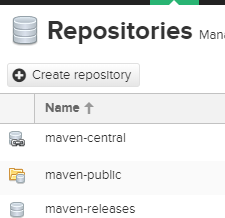
1. Login to Nexus and click on Server Administration link at the top of the window. Click on Repositories.

3. Choose docker hosted repository

4. Choose the value as mentioned:

5. Click on Create repository.
Configure Realm
6. Go to Security. Click on Realms
Let us see how to configure Nexus 3 to host as Docker registry.
Pre-requisites:
- Make sure Nexus is successfully configured, it is up and running.
- Also do open port 8085 as well besides port 8081 for Nexus.
1. Login to Nexus and click on Server Administration link at the top of the window. Click on Repositories.

2. Now click on create repository
3. Choose docker hosted repository

4. Choose the value as mentioned:

Configure Realm
6. Go to Security. Click on Realms

Move Docker Bearer Token realm to right by clicking on >
This settings allows docker repository to have anonymous read enabled.

7. after moving save it.

This settings allows docker repository to have anonymous read enabled.

7. after moving save it.


912E48ABA2
ReplyDeletekiralık hacker
hacker arıyorum
belek
kadriye
serik
Clear steps on configuring Nexus 3 as a private registry. I once struggled with the Realm settings, so your explanation about enabling the bearer token helps a lot. Hosting Docker images in Nexus really simplifies managing custom builds.
ReplyDeleteE6804D3790
ReplyDeleteSkype Show
Görüntülü Sex
Telegram Show Kanalı