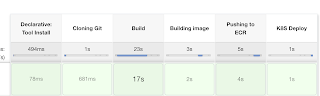
We will learn how to automate springboot microservices builds using Jenkins pipeline and Deploy into AWS EKS Cluster with help of Kubernetes CLI plug-in.
We will use Springboot Microservices based Java application. I have already created a repo with source code + Dockerfile. The repo also have Jenkinsfile for automating the following:
- Automating builds using Jenkins - Automating Docker image creation - Automating Docker image upload into AWS ECR - Automating Docker Containers Deployments to Kubernetes Cluster
Step # 1 - Create Maven3 variable under Global tool configuration in Jenkins
Make sure you create Maven3 variable under Global tool configuration.
Step #2 - Create Credentials for connecting to Kubernetes Cluster using kubeconfig
Click on Add Credentials, use Kubernetes configuration from drop down.
use secret file from drop down.
execute the below command to login as jenkins user.
sudo su - jenkins
you should see the nodes running in EKS cluster.
kubectl get nodes
Execute the below command to get kubeconfig info, copy the entire content of the file:
cat /var/lib/jenkins/.kube/config
Open your text editor or notepad, copy and paste the entire content and save in a file.
We will upload this file.
Enter ID as K8S and choose File and upload the file and save.
Enter ID as K8S and choose enter directly and paste the above file content and save.
Step # 3 - Create a pipeline in Jenkins
Create a new pipeline job.
Step # 4 - Copy the pipeline code from below Make sure you change red highlighted values below as per your settings: Your docker user id should be updated. your registry credentials ID from Jenkins from step # 1 should be copied
We will learn how to automate Docker builds using Jenkins and Deploy into Kubernetes Cluster in AWS Cloud. We will use kubectl command to deploy Docker images into EKS cluster. We will use Python based application. I have already created a repo with source code + Dockerfile. The repo also have Jenkinsfile for automating the following:
- Automating builds using Jenkins - Automating Docker image creation - Automating Docker image upload into Elastic container registry - Automating Deployments to Kubernetes Cluster using kubectl CLI plug-in
Pre-requisites: 1. EKS Cluster is setup and running. Click here to learn how to create EKS cluster.
We
will learn how to automate Docker builds using Jenkins pipelines and Deploy into
AWS EKS - Kubernetes Cluster with help of Kubernetes Continuous Deploy plug-in.
We will use Springboot Microservices based Java application. I have already
created a repo with source code + Dockerfile. The repo also have
Jenkinsfile for automating the following:
- Automating builds using Jenkins - Automating Docker image creation - Automating Docker image upload into Docker Hub - Automating Deployments to Kubernetes Cluster
Please watch the above steps in YouTube channel:
Pre-requisites: 1. Amazon EKS Cluster is setup and running. Click here to learn how to create Amazon EKS cluster.
Step #1 -Make sure Jenkins can run Docker builds after validating per pre-requisites
Step #2 - Create Credentials for Docker Hub
Go to Jenkins UI, click on Credentials -->
Click on Global credentials
Click on Add Credentials
Now Create an entry for your Docker Hub account. Make sure you enter the ID as dockerhub
Step #3 - Create Credentials for Kubernetes Cluster
Click on Add Credentials, use Kubernetes configuration from drop down.
execute the below command to get kubeconfig info, copy the entire content of the file:
sudo cat ~/.kube/config
Enter ID as K8S and choose enter directly and paste the above file content and save.
Step # 4 - Create Maven3 variable under Global tool configuration in Jenkins
Make sure you create Maven3 variable under Global tool configuration.
Step #5 - set a clusterrole as cluster-admin
By default, clusterrolebinding has system:anonymous set which blocks the cluster access. Execute the following command to set a clusterrole as cluster-admin which will give you the required access.
Step # 7- Copy the pipeline code from below Make sure you change red highlighted values below as per your settings: Your docker user id should be updated. your registry credentials ID from Jenkins from step # 1 should be copied