CICD Process Flow Diagram - Implement CICD using Jenkins
What is Continuous Integration?
Continuous integration is a DevOps software development practice where developers regularly merge their code changes into a central repository, after which automated builds and tests are run.
The key goals of continuous integration are to find and address bugs quicker, improve software quality, and reduce the time it takes to validate and release new software updates.
How does Continuous Integration Work?
Developers frequently commit to a shared repository using a version control system such as Git. Prior to each commit, developers may choose to run local unit tests on their code as an extra verification layer before integrating. A continuous integration service automatically builds and runs unit tests on the new code changes to immediately surface any errors.
Benefits of Continuous Integration
Improve Developers productivity
Find bugs early in the software development stage
Deliver products into market place sooner
Improve the feedback loop
What is Continuous Delivery?
Continuous delivery is a software development practice where code changes are automatically prepared for a release to production. Continuous delivery is the next extension of continuous integration. The delivery phase is responsible for packaging an artifact together to be delivered to end-users. This phase runs automated building tools to generate this artifact.
Let's say you have setup SonarQube using Docker or Docker Compose, you have forgotten the admin password for SonarQube. This article helps you to reset/recover the admin password. If you changed and then lost the admin password, you can reset it using the following steps.
As we have configured SonarQube using Docker compose, We need to login to PostgreSQL running inside postgres docker container and execute update command to reset to default password.
Step 1: Login into PostgreSQL docker container
type below command to see the list of containers running in your EC2 instance.
sudo docker ps
Copy the container ID from above command.
Now login into PostgresSQL docker container
docker exec -it <container_id> /bin/bash
Step 2: Connect to PostgreSQL database by executing below command:
from my lab exercise, password for sonar user is admin123
Make sure it shows sonarqube which is your database schema inside PostgresSQL db.
Step 3: Execute the below query to change admin password to default password which is also admin
update users set crypted_password='100000$t2h8AtNs1AlCHuLobDjHQTn9XppwTIx88UjqUm4s8RsfTuXQHSd/fpFexAnewwPsO6jGFQUv/24DnO55hY6Xew==', salt='k9x9eN127/3e/hf38iNiKwVfaVk=', hash_method='PBKDF2', reset_password='true', user_local='true' where login='admin';
Step 4: Login to SonarQube UI and login as admin/admin
Login as admin/admin
Now it will immediately ask you to change the default admin password to something else:
That's it! That is how you recover SonarQube admin password.
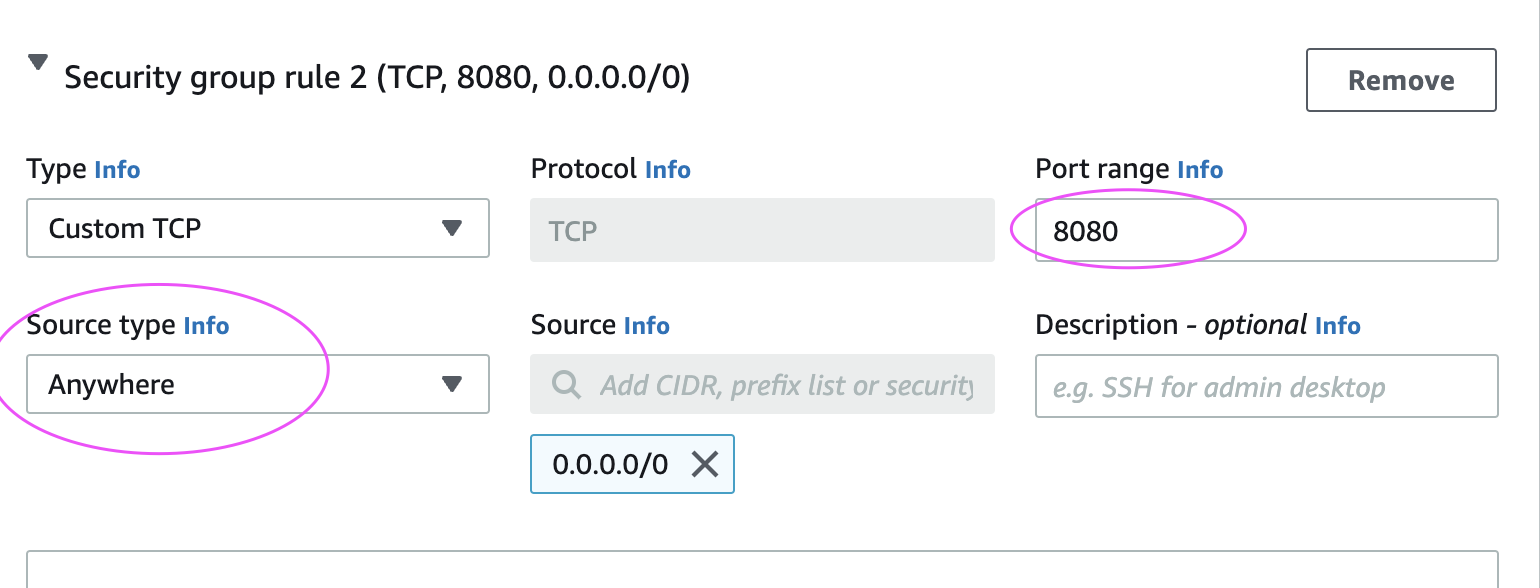
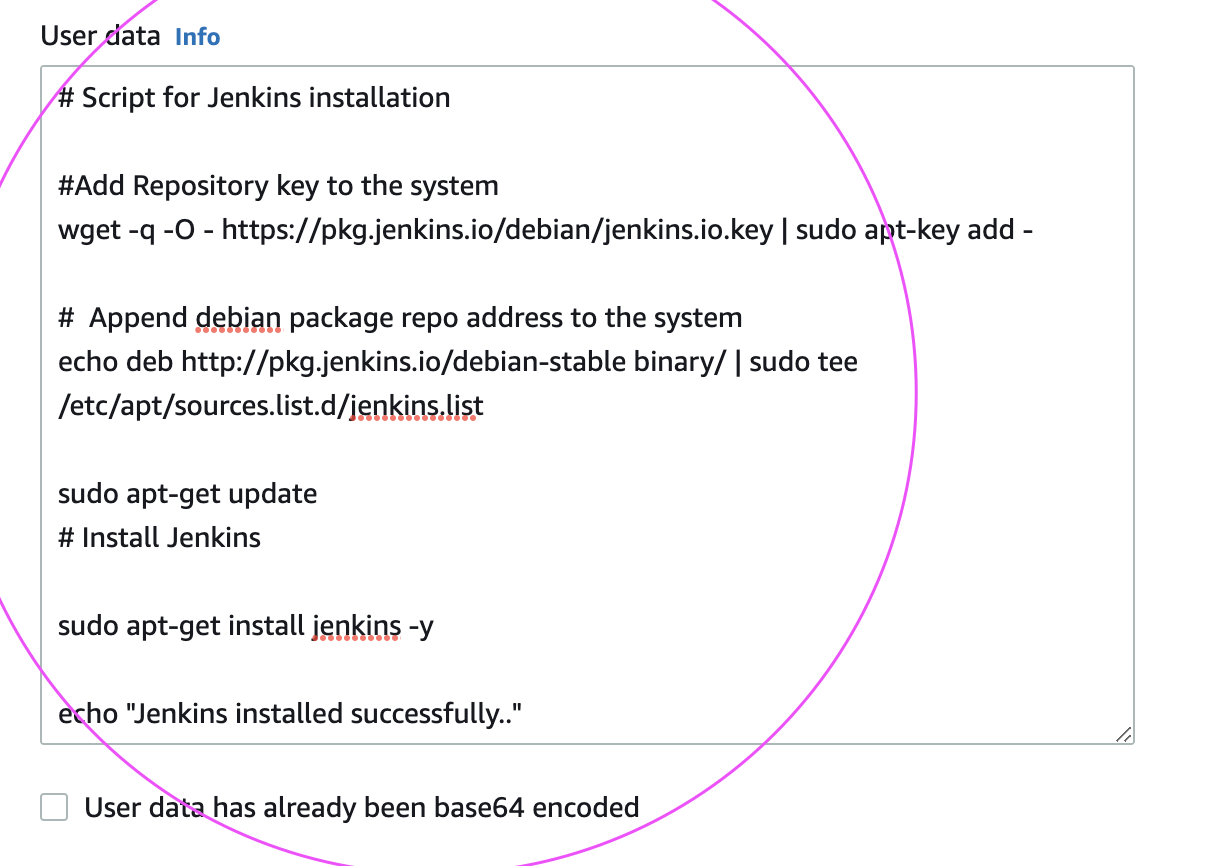
If you want to execute some commands during boot up(launch), you can execute it easily by loading script in user data section during EC2 launch. Bootstrap scripts run only once - when the instance is instantiated for the 1st time.
Please follow the below steps to create an EC2 instance. We will be installing Java, Maven and Jenkins during boot up.
How to create EC2 instance in AWS console?
What is EC2 instance?
It is virtual server provided by AWS. We will be using this EC2 to setup Jenkins. Please follow the below steps to create an EC2 instance.
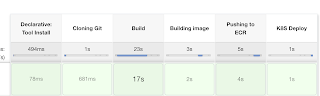
We will learn how to automate springboot microservices builds using Jenkins pipeline and Deploy into AWS EKS Cluster with help of Kubernetes CLI plug-in.
We will use Springboot Microservices based Java application. I have already created a repo with source code + Dockerfile. The repo also have Jenkinsfile for automating the following:
- Automating builds using Jenkins - Automating Docker image creation - Automating Docker image upload into AWS ECR - Automating Docker Containers Deployments to Kubernetes Cluster
Step # 1 - Create Maven3 variable under Global tool configuration in Jenkins
Make sure you create Maven3 variable under Global tool configuration.
Step #2 - Create Credentials for connecting to Kubernetes Cluster using kubeconfig
Click on Add Credentials, use Kubernetes configuration from drop down.
use secret file from drop down.
execute the below command to login as jenkins user.
sudo su - jenkins
you should see the nodes running in EKS cluster.
kubectl get nodes
Execute the below command to get kubeconfig info, copy the entire content of the file:
cat /var/lib/jenkins/.kube/config
Open your text editor or notepad, copy and paste the entire content and save in a file.
We will upload this file.
Enter ID as K8S and choose File and upload the file and save.
Enter ID as K8S and choose enter directly and paste the above file content and save.
Step # 3 - Create a pipeline in Jenkins
Create a new pipeline job.
Step # 4 - Copy the pipeline code from below Make sure you change red highlighted values below as per your settings: Your docker user id should be updated. your registry credentials ID from Jenkins from step # 1 should be copied
Visual Studio Code is popular IDE for developing software commonly used by software engineers, developers and DevOps folks.
It is open source and lightweight but powerful source code editor which runs on your desktop and is available for Windows, macOS and Linux. It comes with built-in support for JavaScript, TypeScript and Node.js and has a rich ecosystem of extensions for other languages and runtimes (such as C++, C#, Java, Python, PHP, Go, .NET).