The cloud-init output log file (/var/log/cloud-init-output.log) captures console output so it is easy to debug your scripts following a launch if the instance does not behave the way you intended.
Check the Logs in EC2 instance
The cloud-init output log file (/var/log/cloud-init-output.log) captures console output so it is easy to debug your scripts following a launch if the instance does not behave the way you intended.
Check the Logs in EC2 instance
Kubectl Error:
you may get this error when ever you are running kubectl command
error: exec plugin: invalid apiVersion "client.authentication.k8s.io/v1alpha1"

Solution:
Make sure you update kubeconfig with below command:
aws eks update-kubeconfig --name ${EKS_CLUSTER_NAME} --region ${REGION}
Are you in IT? Tired of your work? Are you not able to make any good progress in your career?
| Date | Time | Type | When? |
|---|---|---|---|
| Mar 6th | 6:00 to 8:00 PM CST | Weekdays | Mondays/Wednedays |
| Mar 18th | 09:45 AM CST to 11:20 AM on Saturdays 10:30 AM CST to 12:30 PM CST on Sundays | Weekends | Sat/Sundays |
When you are creating any freestyle jobs or pipeline jobs in Jenkins, when you try to checkout a project from Bitbucket and If you are using Bibucket password, you may get this error.
Reason for this error:
Beginning March 1, 2022, Bitbucket Cloud users will no longer be able to use their account passwords when using Basic authentication for Git over HTTPS and the Bitbucket Cloud REST API. The removal of account password usage for Basic authentication when using Git over HTTPS and/or the Bitbucket Cloud REST API is due to Bitbucket Cloud's ongoing effort to align with internal infrastructure and improve Atlassian account security. App passwords are substitute passwords for a user's account and are designed to be used for a single purpose with limited permissions.


How to create EC2 instance in AWS console using new UI experience?
What is EC2 instance?
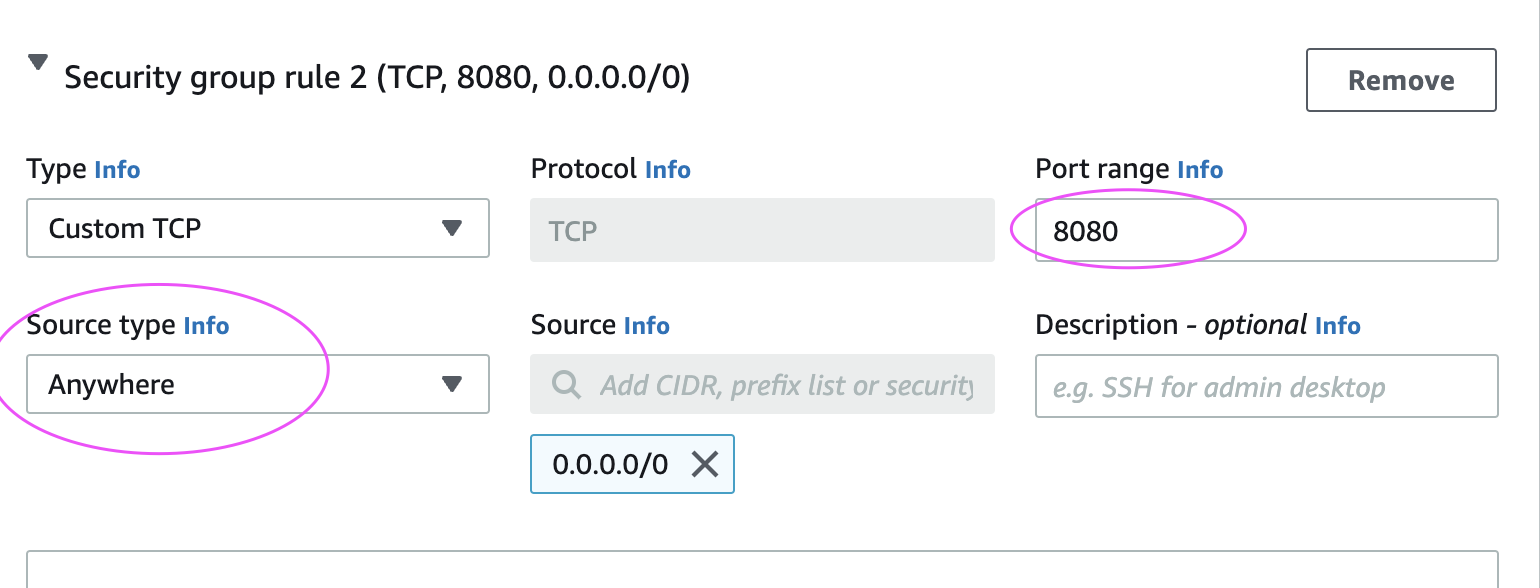
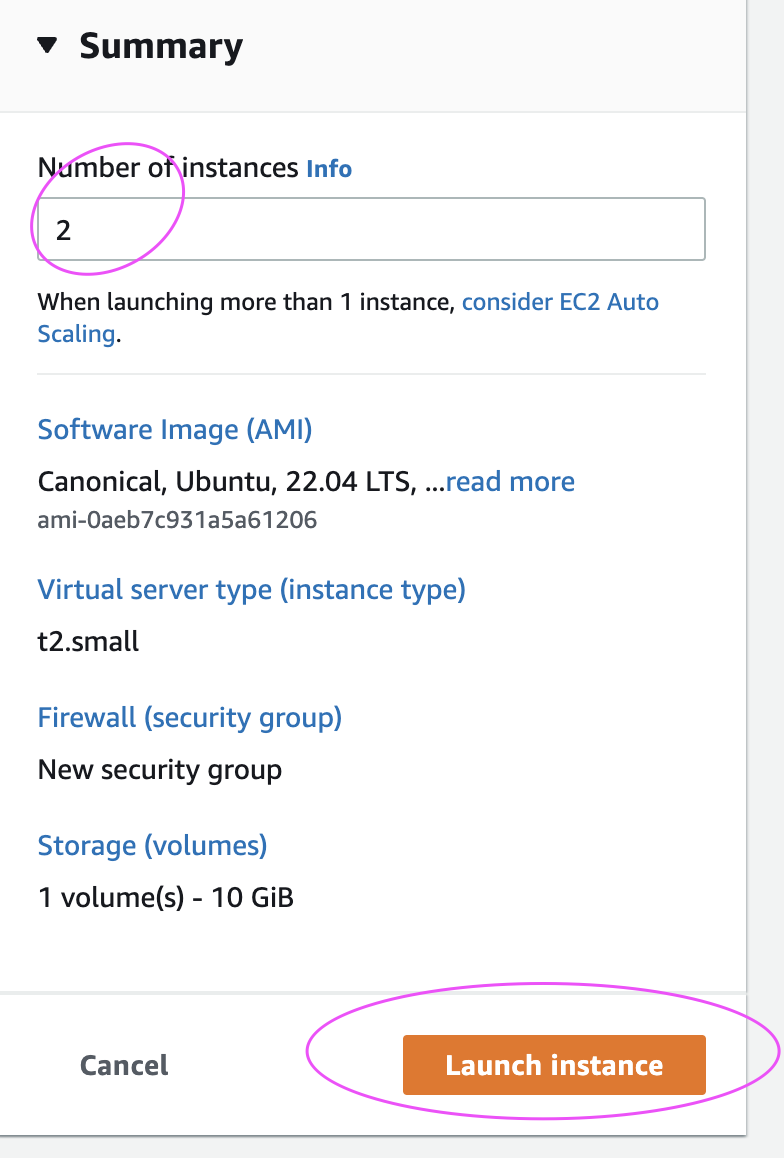
It is virtual server provided by AWS. We will be using this EC2 to setup both Jenkins and Tomcat. Please follow the below steps to create an EC2 instance.





Building pipelines in Azure DevOps is really easy, you can migrate your web applications from any where into Azure Cloud by using Azure pipelines.

Watch the steps in YouTube Channel:
Pre-requistes:
Click here to learn how to create WebApp in Azure Portal.
Create Azure Build YAML pipeline in Azure DevOps
Login to Azure DevOps, go to your project dashboard.
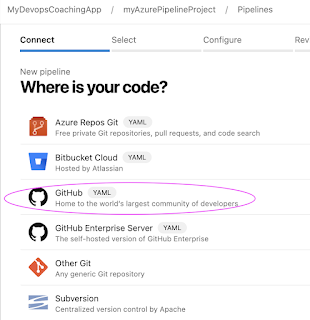
Click on Pipelines --> new pipeline
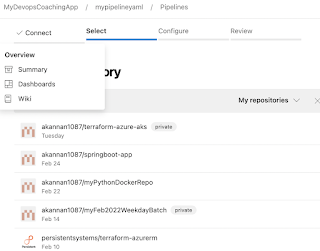
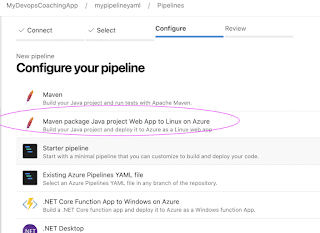
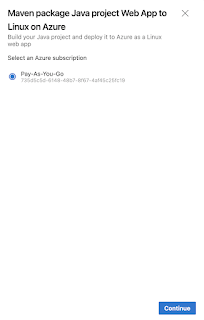


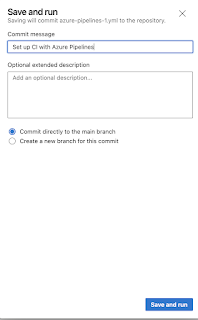
Once you save the file, you can confirm by logging into your GitHub repo.

Now Build must be running. Once build is successful, we need to give permission for deployment into Azure. Click on Review


Verify the webapp deployment into Azure cloud
go to App settings of WebApp, copy the URL and enter /MyWebApp
https://enteryourwebappurl/MyWebApp


that's it..that is how you deploy Web App from Azure pipelines into Azure cloud.


