Webhooks allows developers to trigger jobs in CI server (such as Jenkins or Azure DevOps) for every code changes in SCM. In this article, we will learn how to trigger Azure Pipeline build jobs instantly for every code change in SCM.

Pre-requistes:
1. Azure Devops pipeline already configured. If you dont know how to create Azure pipeline, click on this link.
2. SCM repo have been setup, either in GitHub or Bitbucket or any SCM
Watch Steps in YouTube:
Go to Azure DevOps project dash board.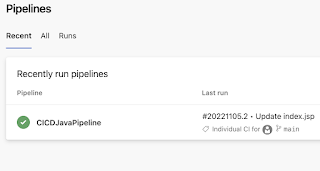 Click on Edit
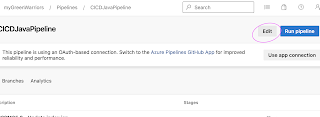
Click on Triggers tab, Click Continuous Integration checkbox to enable Webhooks.

Go to Pipelines

Click on Pipelines


Click on Save the Job. You don't have to Queue the job.
Now go to your SCM and make a code change, you will see pipeline will trigger immediately.


Thankyou for sharing good content its helpful
ReplyDeleteBilling issues were resolved quickly, showing their commitment to service.
ReplyDeleteSecurity is another major reason to choose expert web development services. A secure website protects both the business and its customers. Professional developers use updated code, add SSL certificates, and apply the latest security practices so that sensitive data stays safe. Without these protections, a business is at risk of losing customers’ trust and even facing legal issues if personal data gets exposed. custom wordpress design services
ReplyDelete